See your newest contacts first
Your iPhone sorts contacts by name. Contacts Timeline sorts them by the day you added them, so the person you met yesterday is at the top, not lost somewhere between A and Z.
For iPhone, iPad and iPhone Duo
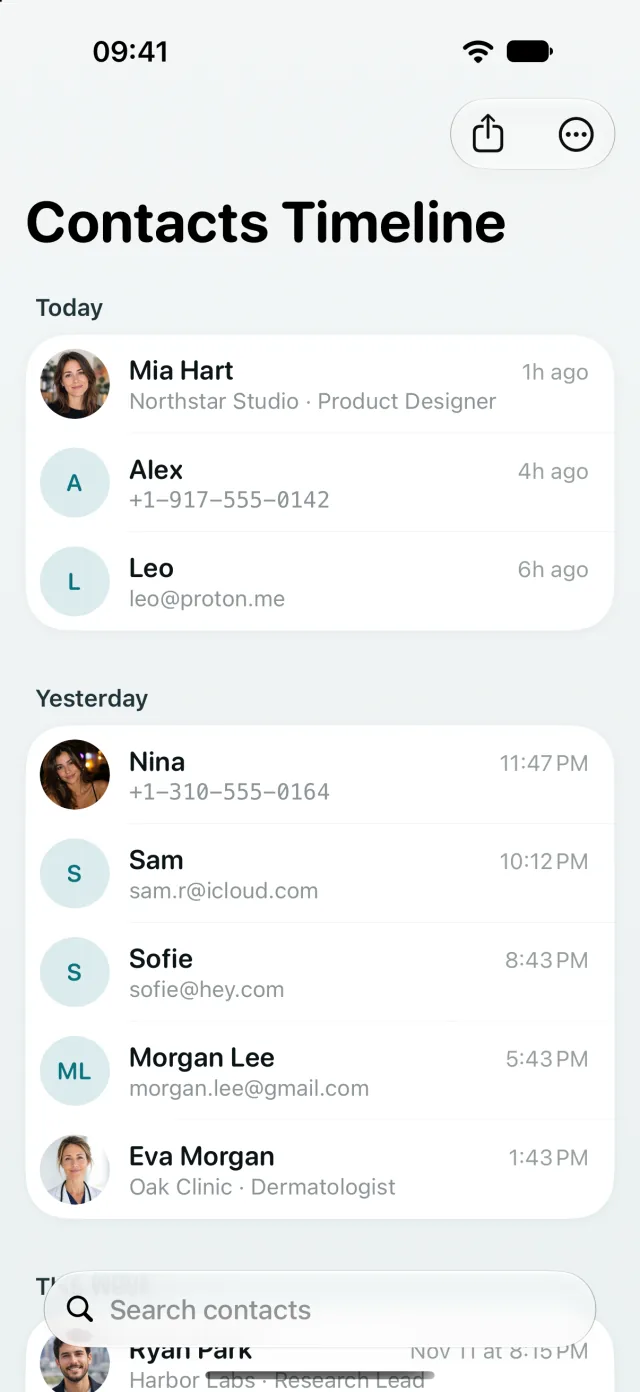
You remember when you met, not how they spelled their name
You saved a number at a conference, a plumber's card last week, a new friend at dinner. Days later you need them and can't recall the name. Contacts Timeline lists every contact by when it was added, newest at the top.
Timeline
Recently added contacts, grouped by day
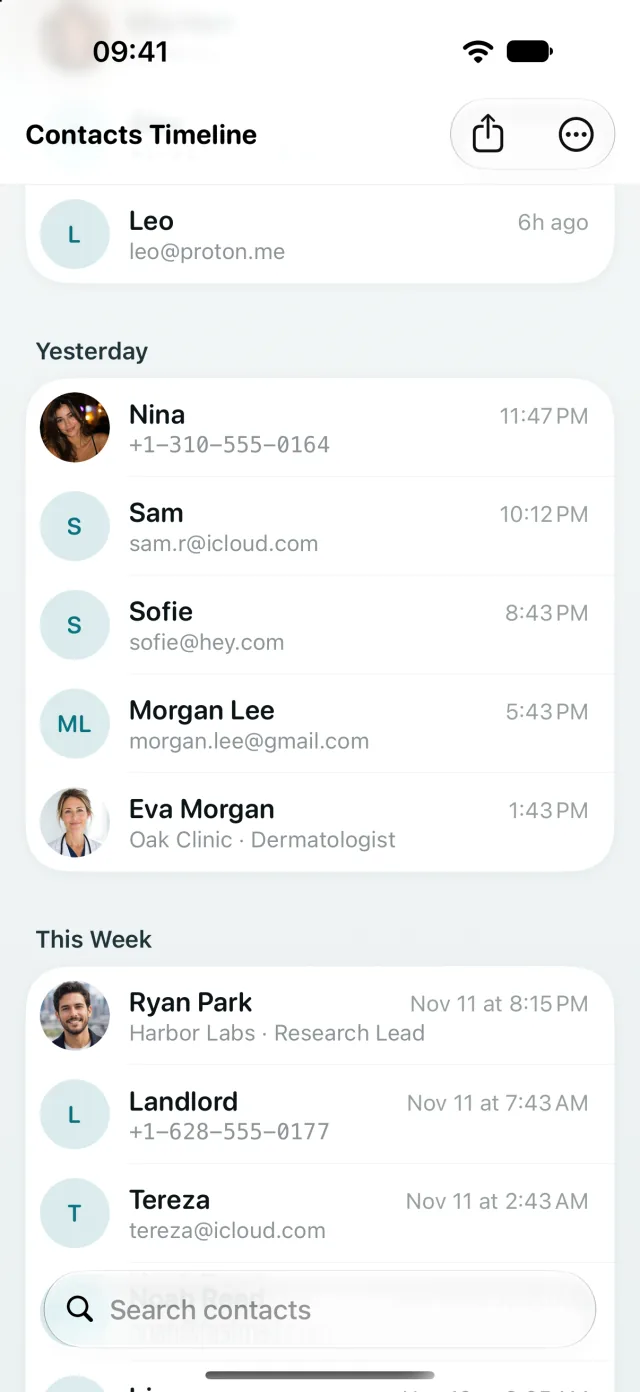
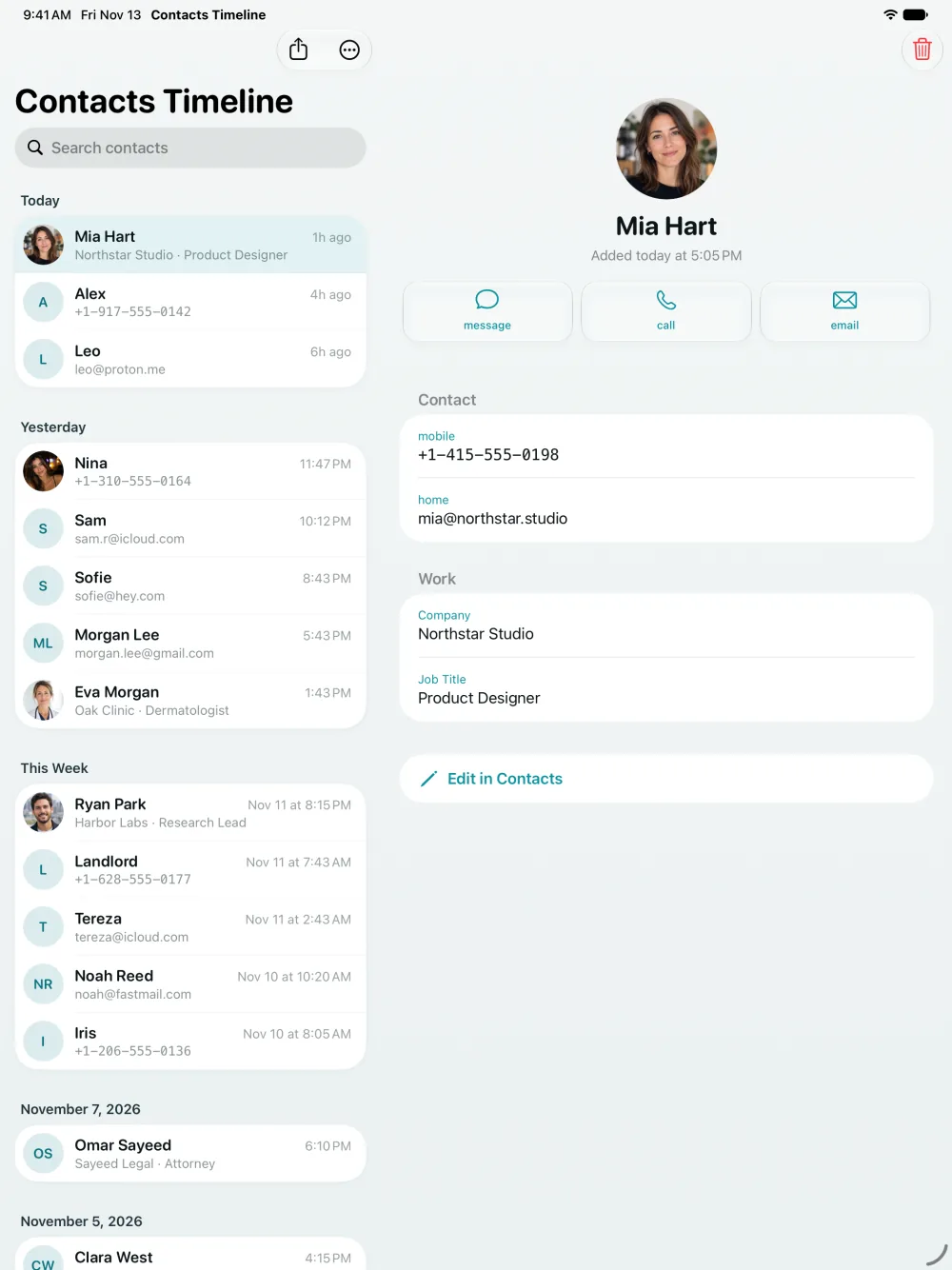
Contacts appear under Today, Yesterday, This Week and exact dates, with the time each one was added. Search by name, number or email when you do remember something.
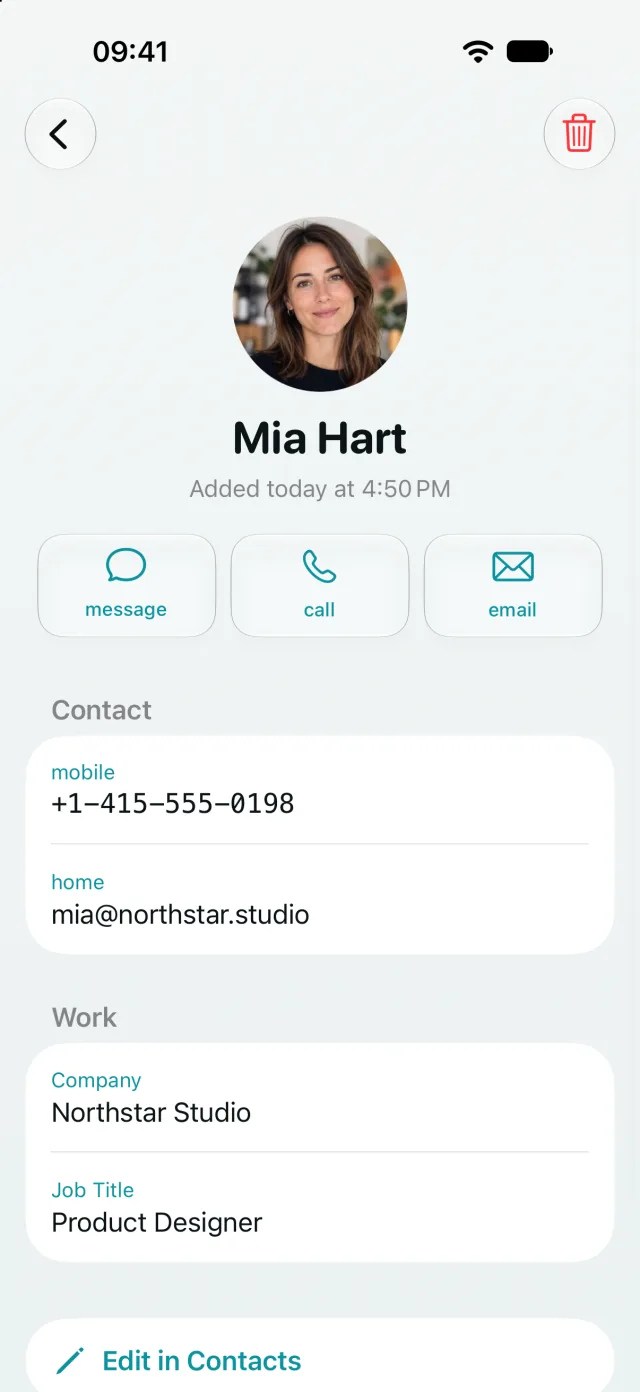
Contact details
Call, text or email in one tap
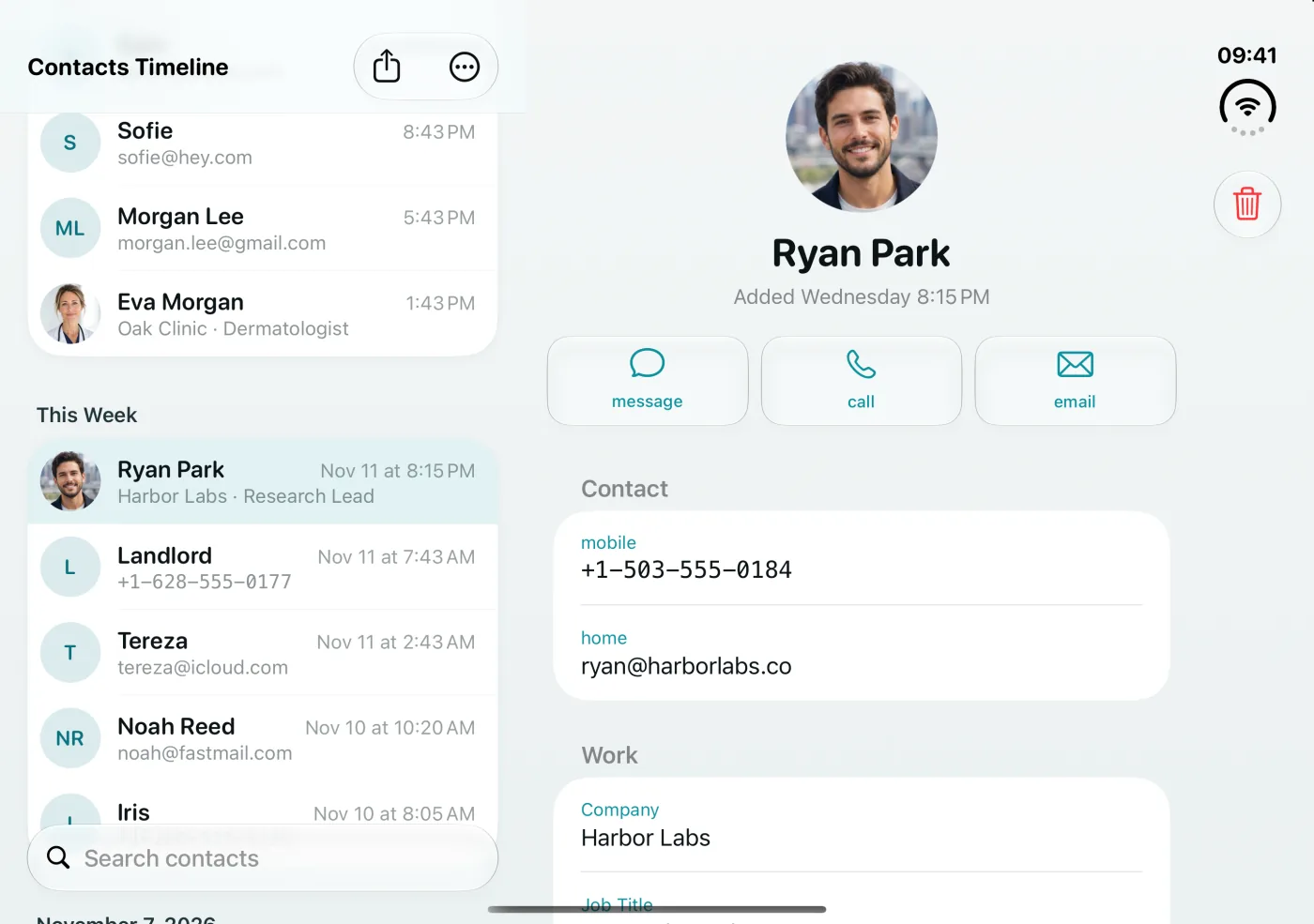
Open a contact to see phone numbers, email addresses, company, job title, birthday and notes. Call, message, email or copy details right away, or open the contact in Apple's Contacts app to edit it.
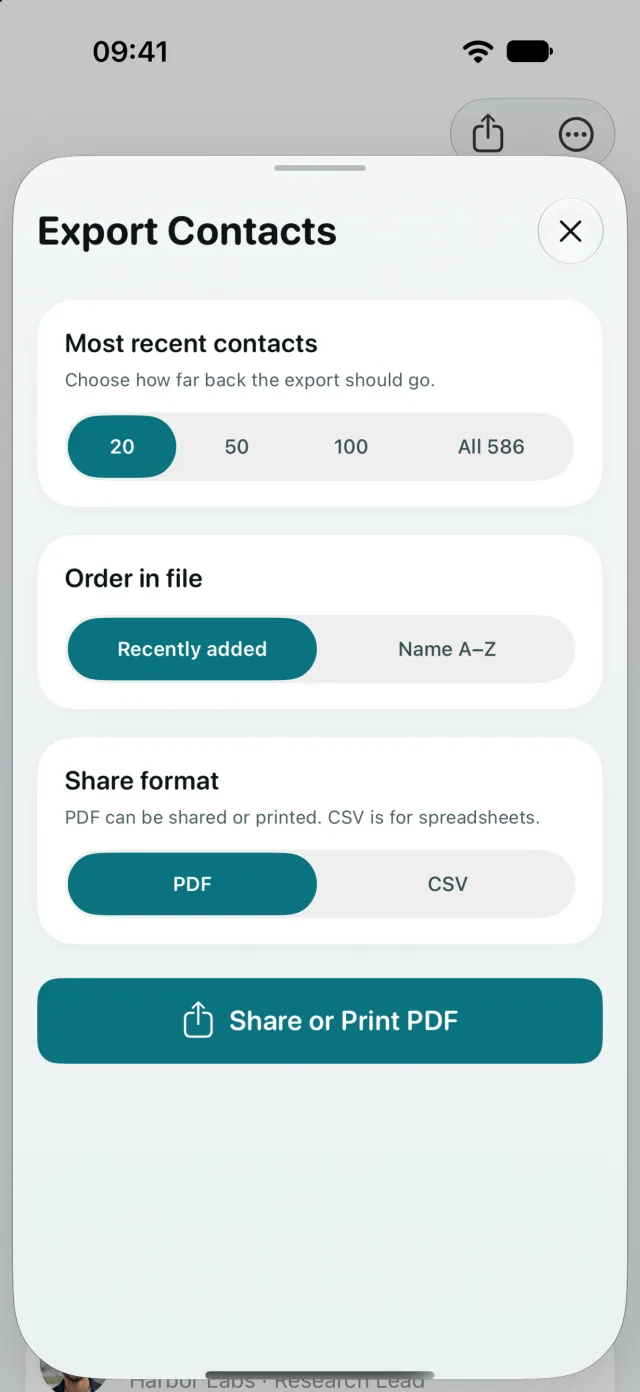
Export
Export new contacts to PDF or CSV
Pick your last 20, 50 or 100 contacts, or all of them. Sort by date added or by name, then share, print or save the list. CSV opens in Excel, Numbers and Google Sheets.
iPad and iPhone Duo
Room for the list and the details
On iPad and on an unfolded iPhone Duo, the timeline and the selected contact sit side by side.
Works with the rest of your iPhone
Siri
Ask “How many contacts did I add in Contacts Timeline?” and get the answer without opening the app.
Spotlight
Find any contact by name from Spotlight search on your Home Screen.
Shortcuts
Export your newest contacts as PDF or CSV from a shortcut or automation.
Control Center
Add a control that opens your newest contacts in one tap.
Private by design
Your contacts are read on your device. No account, no sign-in, no uploading.
Speaks your language
The app is available in 33 languages and follows the language your iPhone is set to.
Questions
How do I see recently added contacts on iPhone?
Apple's Contacts app has no “recently added” list and can't sort by date. Contacts Timeline reads the date each contact was created and lists them newest first, grouped by Today, Yesterday, This Week and older dates.
Can I sort my iPhone contacts by date added?
Yes. Contacts Timeline always shows your contacts in the order you added them. When you export, you can choose between date added and name.
How do I find a contact when I forgot the name?
Think about when you met. Scroll to that day in the timeline and the contact is there, along with everyone else you saved around the same time.
Can I export my contacts to Excel or CSV?
Yes. Export your newest 20, 50 or 100 contacts, or all of them, as a CSV file for Excel, Numbers or Google Sheets, or as a PDF you can print.
Does Contacts Timeline upload my contacts?
No. Your contacts are read and sorted on your device. The app has no account and doesn't sync or upload your address book.
Can I edit or delete contacts in the app?
You can delete a contact directly. To edit one, tap Edit in Contacts and the contact opens in Apple's Contacts app.
Find the person you just met
Contacts Timeline is on the App Store for iPhone, iPad and iPhone Duo.
Download on the App Store